
|
ODB Drill Notes for 3DUntil we started focusing on 3D output for MCAD, we basically treated all drill layers the same - we assumed that they produced plated through holes i.e. vias. If you put a plated through hole where there should have been a mounting hole, this was not an issue for our simulation customers since the mounting hole normally has no connections to any signals. However for 3D MCAD applications where a designer is checking fit we have a problem. MCAD designers would prefer we suppress the vias since they don't affect the size and fit of the board but they want us to identify and pass mounting holes to the 3D output (i.e. use them to clip through the board ...) Sometimes the mounting holes (often marked as NPT - non plated through) are isolated in a separate drll file. Sometimes they are not. ODB Attribute for Drill Holes However when they are "mixed" in the same drill file (or layer) the individual holes may have attributes that we can use to separate them. I'll show two examples of this below: Example 1 - 220.tgz Below you can see the board outline, top metal and drill layer for 220.tgz. Notice that there is only one drill layer. 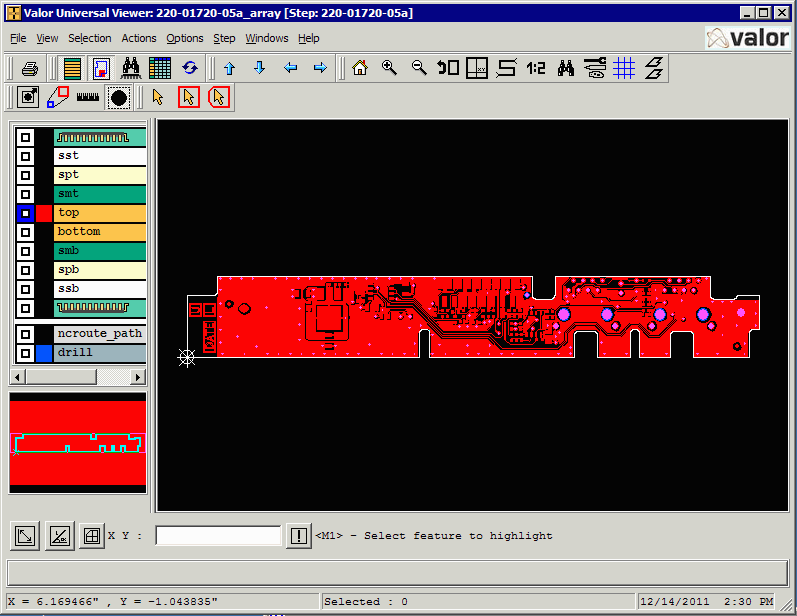 If we zoom in we can see that some of the drill holes are clearly vias and the 4 large ones are clearly for mounting holes. There are a few that are not obvious whether they have only mechanical uses or electrical use. 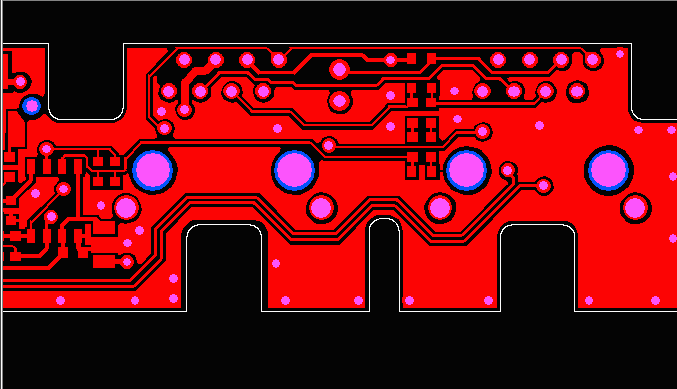 So how can we differentiate between vias (which we want to suppress) and the mounting holes which we want to pass to the 3D output? Attributes ODB++ entities can have attributes attached to them and in this case the attributes help us out. If we ID any of the four large drill holes we see they have the following properties: 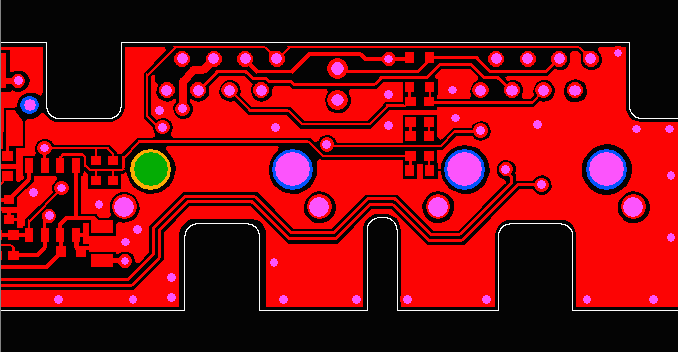 drill,#27,Pad(.geometry=U3MM3,.drill=non_plated), X=3.915,Y=0.4480315,r129.921,POS Net=$NONE$ COMP=J3 PIN=un_1 PIN_TYPE=UU Notice that the drill property = non plated. We can use this info to determine that we want to pass this to 3D output. If we click on a smaller pad we can see that it has the drill=plated property. 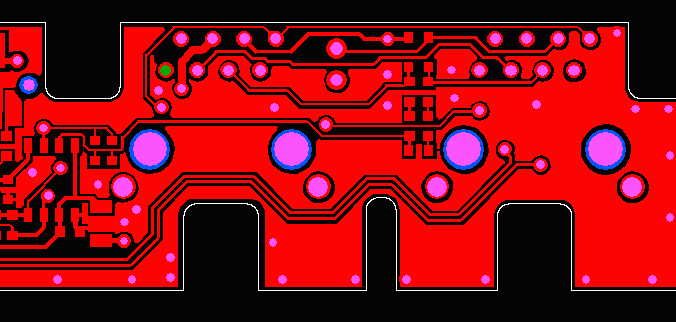 drill,#16,Pad(.geometry=P0MM9_STD,.drill=plated), X=3.965,Y=0.6980315,r35.433,POS Net=UNNAMED_1_CONN8M2_I11_A_1 COMP=J3 PIN=1 PIN_TYPE=UU If we continue to check various drills we will find yet a third attribute: 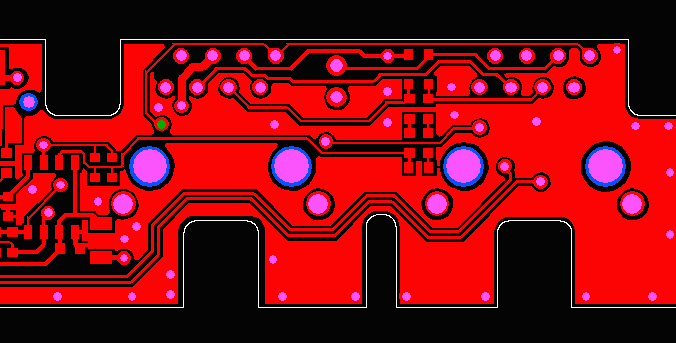 drill,#154,Pad(.geometry=VIA_P0MM7_115C,.drill=via), X=3.9517717,Y=0.5807087,r27.559,POS Net=UNNAMED_1_CAPACITOR_I28_1 This drill has the attribute drill=via. Conclusion We found three different drill attributes:non_plated plated via I suggest that if we are "suppressing" vias we suppress both the drills labeled via and plated and pass only the drills labeled non_plated. Becaise the value of the attribute may vary depending on which PCB tool generates the ODB++ file we might even want to have an ascii resource file that determines which attributes are suppressed and which are passed (based on whether our output is for simulation or for 3D fit) |