![]() |
Development StepsMay 7, 2012 Steve DiBartolomeo Vias vs. Mounting Holes Because 3D data grows so much, the very first thing I would like to see implemented would be a way to filter out vias from mounting holes. On a large board there may be 2000 vias and 8 mounting holes. The mounting holes are essential if one is to use the 3D to test for "fit." Unfortunately I have found that in ODB++ the identification of mounting holes is not consistent. So we cannot depend on any particular attribute to act as the filter. What we should implement is a simple filter based on hole diameter. Almost all mounting holes are significantly larger than vias. Therefore the user should be able to specify a value and any holes smaller than the value are not passed to the output. |
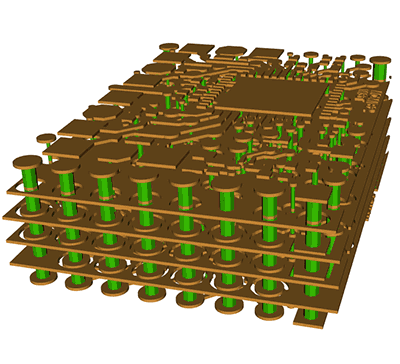
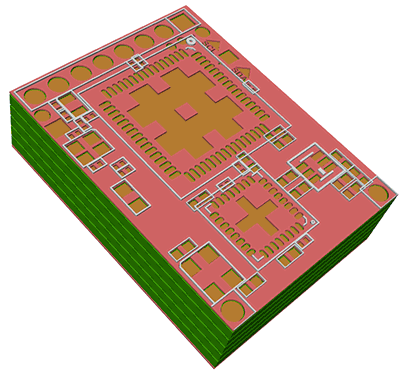
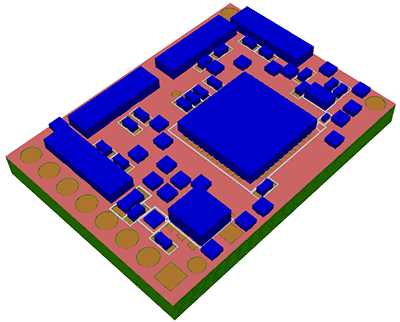
ODB++ to 3DThe ODB++ database is a manufacturing database that contains layout, pin, net and some component information and is used to define the fabrication and testing of the PCB. However it is also possible to use this same data to create a 3D model of the board that can be used for a) electromagnetic (EM) modeling b) thermal simulation c) 3D fit and visualization |
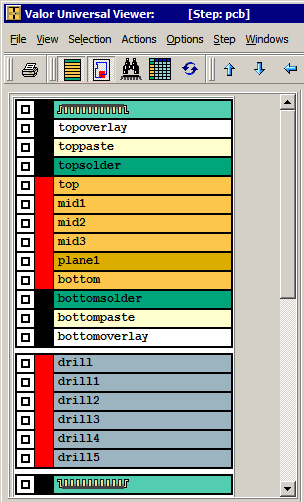
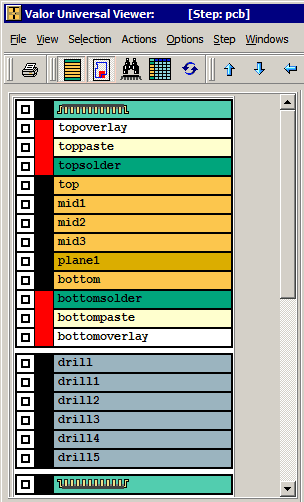
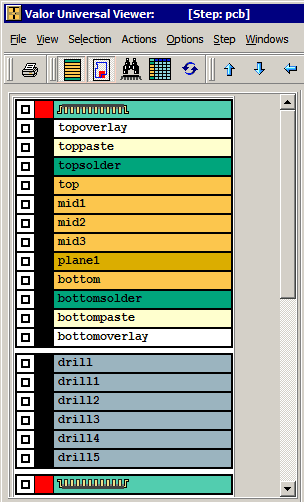
Conductor LayersThe ODB++ file defines each conductor layer. Before you can convert these to 3D you must massage the data so that it is suitable for "extrusion" into 3D. This normally means converting all traces into regions, unionizing overlapping and touching regions and sorting out "holes" within regions. It also means interpreting flashes(symbols) and converting them into polygons. Artwork has a powerful boolean engine for doing this quickly and robustly. Dielectric LayersThere is no data for dielectric layers - they are assumed to be placed between each conductor layer. The extents of the dielectric layer is defined by the board outline which should be present in the ODB Step under consideration. Holes in the dielectric layer can be produced by both plated and unplated drills as well as any route layers found in the ODB++ file. ComponentsAssuming that an ODB++ file contains component information (it is not mandatory to do so) the translator reads the component's outline and extrudes it by the height attribute (assuming that the attribute is present and defined.) This produces a relatively crude cube-like approximation of the component and can be useful for determining clearance. DrillsDrills are divided into two types: a) those that represent plated through holes used to connect one conductor layer to another; b) those that represent non-plated through holes which generally act as mounting holes for the board. A PTH drill must create a "hole" in the dielectrics and a metal cylinder in the hole. A NPT drill generates just a hole all the way through the board (but never through the components) RoutesIn this context a route is not an electrical connection from point A to point B but rather the path of a rotating bit that is used to cut out parts of a board either for singulation or for clearance. A route may go all the way through the board or only partially through. Solder MaskThe solder mask is a protective polymer film that coats the top and bottom side of the PCB. The solder mask is "opened" wherever it is needed to make a connection to the PCB by soldering. We assume that the top solder mask starts at the surface of the top metal and that the bottom solder mask starts at the surface of the bottom conductor layer. Paste MaxA paste mask is normally used for creating a screen to apply solder paste to the board. It is generally not modeled on the PCB but can be treated as if it were a solder mask. |
|
ARTWORK CONVERSION SOFTWARE, INC. Company Profile 417 Ingalls St., Santa Cruz, CA 95060 Tel (831) 426-6163 Fax 426-2824 email: info@artwork.com |