
GDSFILT is a general purpose utility for manipulating GDSII stream data. It enables a mask designer to export a new GDSII file, defined by filters, e.g. layer or datatype, into a new smaller file. GDSFILT can also flatten a file, prune off empty structures and even filter output entities by size and shape!
GDSFILT can be used to combine multiple GDSII files into a single larger one. It has different modes for merging files -- either preserving all structures (even those with the same name) or by replacing data in a structure will that of the merged file.
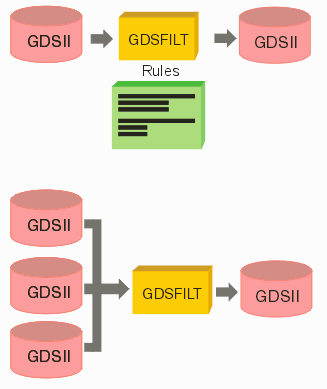
Extract by Layer - use this function to extract data on specified layers and/or datatypes. You can preserve the database hierarchy or flatten it.
Extract by Structure - use this to extract a structure (and its children) from a large file.
Merge Multiple Files - use this to combine or merge two or more GDSII files. There are multiple sub-options on how the hierarchy should be merged.
Rename Structures - How to rename structures (cells) using a "table" reading from an external file.
Prune Empty Structures - use this to search through a large GDSII file and to delete (prune) any structure defintions that are empty of entity data or which are not referenced.
Fix Names - have GDSFILT fix cell names that can cause problems. Converts all names to either upper or lower case as needed. Finds illegal characters in name strings and replaces them.
Remove Cells - have GDSFILT remove cells - use either a list or a regular expression to match names of cells (structures) to remove.
Filter by Entity Size & Shape - use this option to filter entities out by their size and shape. For example, extract out the die pad openings from a very large M1 layer.
Redirection File Instead of Long Command Line - Describes how to use a redirection file instead of a long command line -- useful when merging or adding many files together.
Fix Paths - use this option to find any 0 width paths and reset their width. Find any paths that fold onto themselves (creating a self-intersecting area) and repair them.
gdsfilt delay in floating mode - gdsfilt takes a few minutes to start in floating mode.
GSCAN - use this get a list of all structures, hierarchy and layers/datatype that contain entities. Useful for knowing the basics of a GDSII file.
Reset GDSII Units - Describes how to use the utility gdsSetUnits to change the units and resolution of a GDSII file.
Describes how to take a large chip design and extract just the pad ring layer (simultaneously flattening the output data) so that the pad openings can be easily imported into Cadence APD.