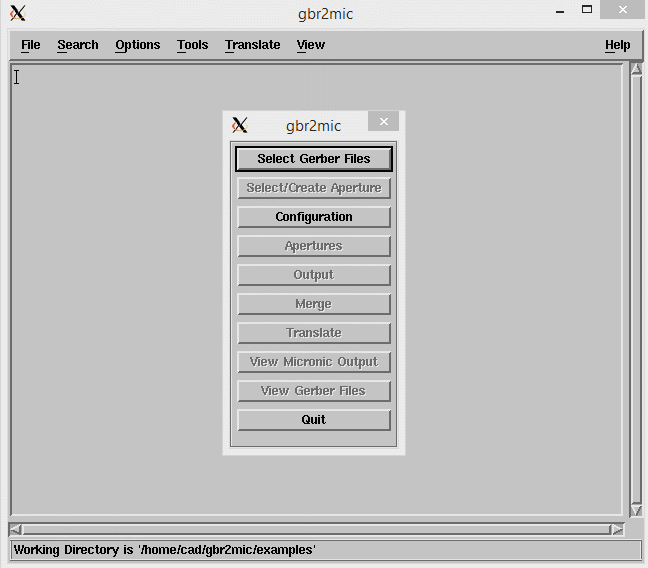
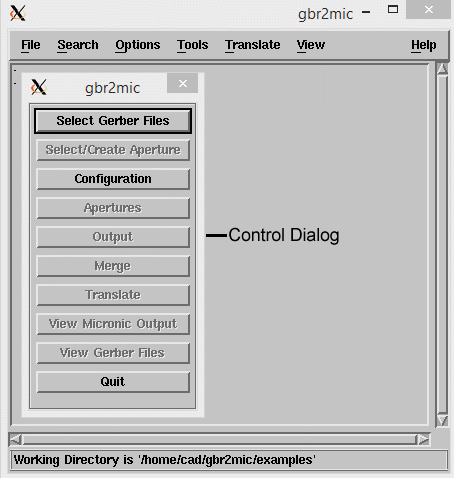
GBR2MIC's Main Menu - A button bar takes the user step by step through the conversion process.
The button bar is displayed when File | Preferences | Control Dialog is ON.
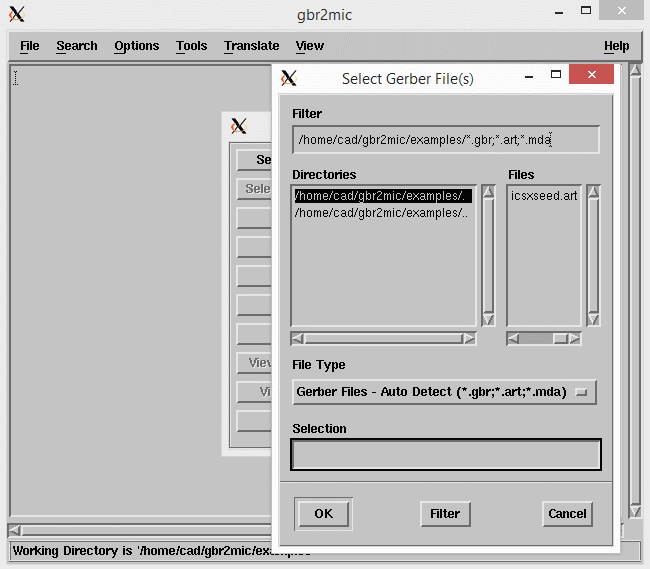
Select Gerber File - The first step is to select the Gerber file to process. This dialog is used for that purpose.
Note: if you routinely use different file extensions for your Gerber files than the ones provided, you can change the file extension filter from the File | Preferences | File Extensions dialog.
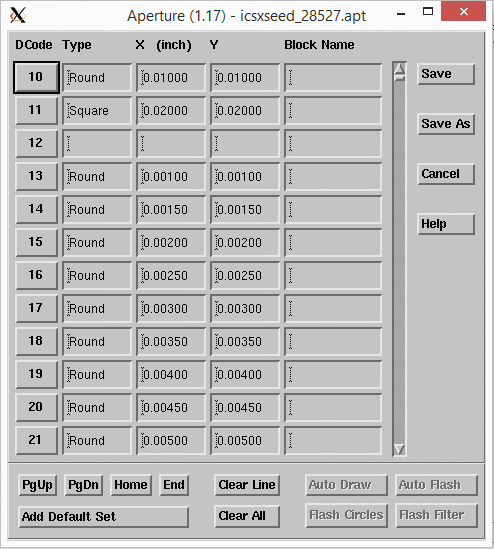
Aperture - If you open an RS274X file, the aperture dialog is already populated and there is nothing more to do except to click on SAVE. RS274D is no longer supported. If you have 274D files, first convert them to 274x.
This dialog controls the various conversion options.
Gerber Options - These values are obtained from the RS274X header. Do not change them.
Translation Options - these options control the translation.
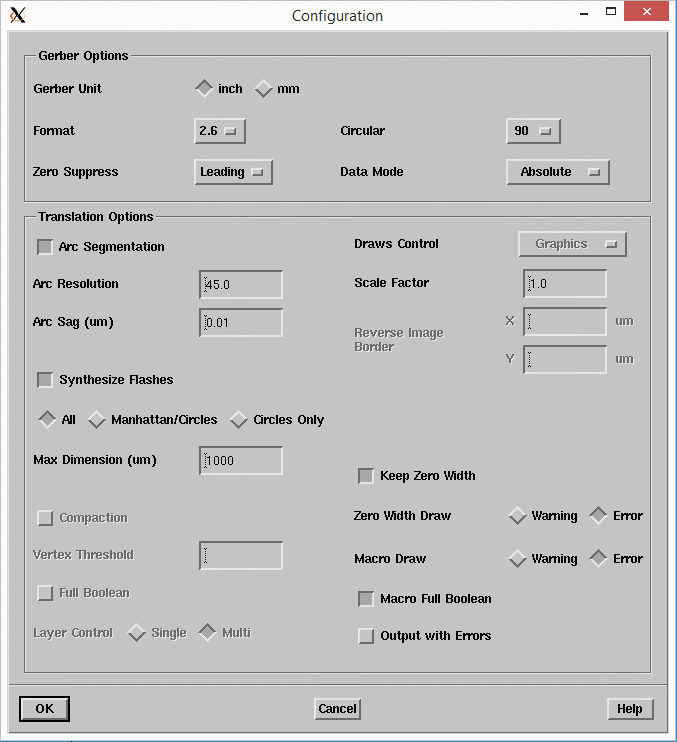
Arc Segmentation This option controls whether arcs and circles in the Gerber file will get vectorized.
Arc Resolution - The Arc Resolution parameter controls the number of segments per arc/circle based on the angle that each cord will subtend.
Arc Sag (Chord Error) - The chord error is the difference between the ideal arc section and the approximation using segments.
Draws Control - Not available for this application.
Scale Factor - scales the input data by the specified amount.
Output with Errors - When off, the program will end the conversion when error occurs during the conversion.
Keep Zero Width - Keep zero width flashes - some of gbr2mic data may include zero width. This data will not show in the final output but it can affect the extent of the output if it happens to be on the outer edges.
Zero Width Draw - Zero width draws have no area and therefore will not get converted to MIC data. This option tells the program whether to issue a warning or an error when detecting such draws.
Macro Draw - This option tells the program whether to issue a warning or an error when detecting a macro being used as a draw as oppose to a flash.
Macro Full Boolean - Perform a full boolean on macros defined in the Gerber file.
Synthesize Flashes
When ON, the program will attempt to convert round and rectangular drawn shapes into flashes. In the case of rectangular shapes the user has control in discriminating between rectangles in standard orientation (0 degrees) and those that are rotated at some angle. Rectangles not in standard orientation are converted to macros, the remaining round and rectangular polygons are implemented as standard Gerber Dcodes.
Synthesize Flashes [All] - When selected, the program will synthesize rectangles in any angle (as well as circles).
Synthesize Flashes [Manhattan/Circles] - When on, the program will only synthesize rectangles at 0 degrees and circles.
Synthesize Flashes - [Circles Only] - When on, the program will only synthesize circles.
Max Dimension - This parameter tells the program not to Synthesize Flashes larger than this value. The default value is 6350 microns.
To access the preference settings, go to the File menu pulldown and select Preferences.
There are four choices:
Control Dialog
Working Directory...
File Extensions...
Options ...
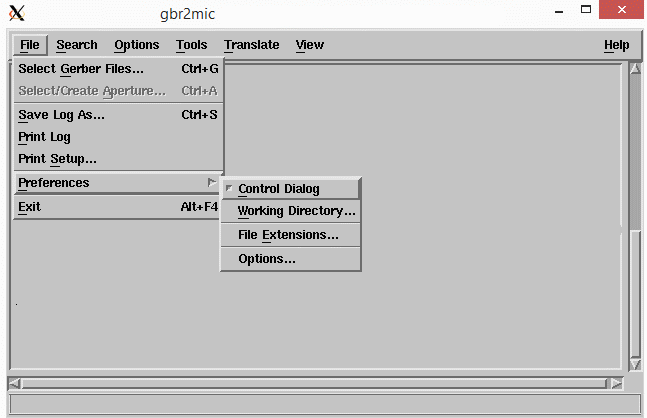
Checking the Control Dialog item displays the control dialog in the main menu ...
enables the user to define the default file extensions for Gerber files, output MIC files, and log files.
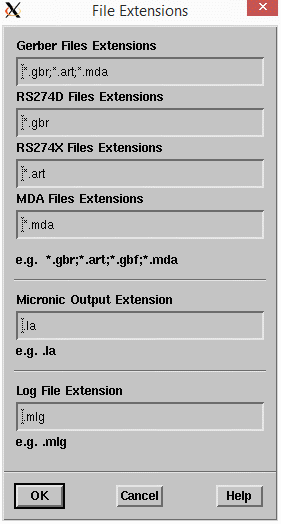
enables the user to define the default file extensions for Gerber files, output MIC files, and log files.
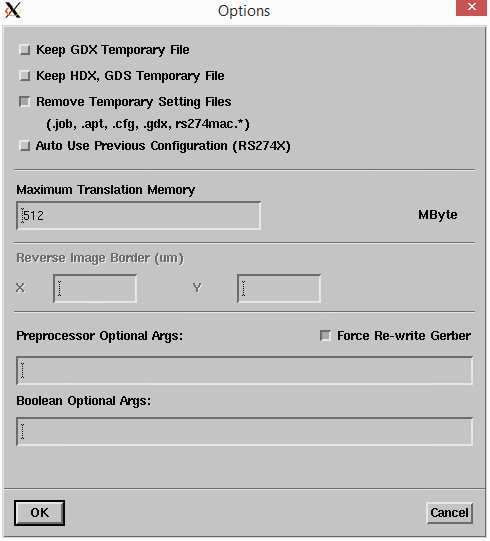
GDX, HDX, GDS Temp Files -- normally, temporary files are only kept for debugging purposes.
Maximum Translation Memory - in most cases, set this to a value larger than your Gerber file which will result in the quickest conversion. If your Gerber input file is so large that this is not possible the program will still run but it may convert more slowly as it needs to off load to disk.
Preprocessor Optional Arguments -- special arguments that will be passed to the split274x pre-processor. Most of these commands are available already from the configuration dialog.
Boolean optional arguments - special arguments for the Boolean engine. Any arguments here are normally entered during debugging or analysis of problem files
.